Mommy Octopus

We can all use a few more hands

  • Giveaways
  • Travel
  • Recipes
  • Disney World Tips
  • Homeschool
  • Law Enforcement Support
  • PR Inquiries
  • Contact Me
  • About Me

Hearts Beneath the Badge by Karen Solomon

February 13, 2015 By MommyOctopus Leave a Comment
By clicking my links, I may earn a small commission to support this blog. Please see our Disclosure Policy.


I’m a proud deputy wife.  With all the anti-police activity that has been going on around the country lately, my heart has been broken over and over.  Behind each and every badge that you see is a person with feelings and a family that loves them.  Behind my husband’s badge is a wonderful man who would do anything for anyone.  Behind his badge is a family that includes a wife and 4 children that love him dearly.  A family that prays for him throughout each day that God would see fit for him to return to us at the end of every shift.  Every ambush, stabbing, car wreck, and line of duty death is a reminder of what could be.

Hearts Beneath the Badge is a book that show what is truly behind the badge – a human. Like everyone, they laugh, cry, and feel pain.  They see some of the worst of the worst and have to live on edge and go where many refuse to go.  As I read Hearts Beneath the Badge, I found myself smiling, laughing, and then crying as I read the tremendous stories behind some of the men and women in blue and their families.  I also found myself wondering why so many people can only look at police in the negative and not see an actual person.  I know there are a small number of bad cops.  There are also a small number of bad house builders, plumbers, cashiers, etc.  Why as officers are they lumped into always being bad?

Hearts Beneath the Badge is a great read for anyone that wants to see officers in a more positive light or see what happens to them emotionally as the weight of the job takes it’s toll.  It has a combination of stories of happiness and heartbreak, just like is seen daily on the job.

I highly recommend picking up this book and giving it a read.  Once I started, I could not put this book back down and I expect I’ll be reading it again very soon.  You can find it on Amazon and you can find out more about the author, Karen, on her blog, The Missing Niche.

Review: Tiny Towne Education Center

November 14, 2014 By MommyOctopus Leave a Comment
By clicking my links, I may earn a small commission to support this blog. Please see our Disclosure Policy.

Tiny Towne

On Wednesday this week, I had the privilege of attending the Tiny Towne media morning in Norcross.  Despite Tiny Towne being only 3 minutes from my Grandmother’s house, I had never heard of it!  I was eager to check it out and find out what new adventures were waiting.  I was prepared for a fun play area where my kids could drive cars, but I was pleasantly surprised to see that Tiny Towne offers much, much more than that.Tiny Towne Liscense

Tiny Towne‘s designer, Pierre, came to the United States as an adult in the 80s.  He set immediately to learning the laws of the road and getting a driver’s license.  Since then, he has continued researching statistics of crashes and finding out how we can make the roads safer.  Pierre’s thought in 2009 to create Tiny Towne was based on the idea that if we start kids out driving as young as possible, they will be safer drivers in the future when they get to the real road.  Let’s face it.  Most kids have never been behind a wheel until they are 15-16 and starting the process of getting their driver’s license.  Why wait until they are a teen to start driving?

Tiny Towne

At Tiny Towne, kids as young as 1-3 can begin driving.  Tiny Towne offers a game room ride that features an actual screen so little ones can watch themselves as they drive and practice staying on the road before they ever get in an actual car.

Tiny Towne

Beginning at age 3, young drivers can venture out to the Tiny Track, where they start by learning to always put their seatbelt on when they are in the car.  They can then drive the smallest cars around the track.  Eager assistants are waiting and ready to assist a child if they get stuck trying to make a turn.  These cars have a steering wheel and a gas pedal that is pushed by the child.

Screen Shot 2014-11-14 at 7.49.27 AM

At age 6, they can move on up to the booster cars, which are a little bit bigger than the younger cars.  They are on the same track as the littlest drivers but go a bit faster and they also have the steering and gas pedal for the child.

To be promoted to the senior level and get access to the advanced Traffic Track, drivers must be at least 9 years old, 57″ tall, and pass Traffic Test 101 and a simulator test. At the completion of the tests, drivers will receive access to the Tiny Towne Smart Cars used on the advanced track.  The advanced Traffic Track for senior drivers consists of road signs, two-way streets, and cops who will ensure that drivers are practicing the safety rules and guidelines they learned in the classroom.

Tiny Towne - Ticket

I know all about the cops and how well they patrol.  I got my very first ticket at Tiny Towne.  There is an area where 2 lanes go down to 1 and I didn’t signal.  Oops!  The cops were right on my tail in moments.

Tiny Towne

The ticket concept is pretty interesting.  Using a tablet, the officer is able to get the license number and suspend your car’s driving ability for a few minutes depending on your violation.  In my case, I was suspended for 2 minutes.  We had to sit in the same spot for that long and watch the timer go down before we could move.  The cars also all run on a smart app that judges your driving.  If you are driving dangerously, it slows your car down.  As you show that you are a safe driver, it lets you pick up more speed.  If you are caught texting or using your phone on the road, you completely lose your license and aren’t able to drive.  In order to get your license back, you have to see the “judge” to make sure that you understand how dangerous it is.  The concept of learning plus violations in a safe environment was all the idea of Tiny Towne’s designer, Pierre.

Tiny Towne

Tiny Towne offers an education center as well with interactive computers, where the family can learn the rules of the road and take tests.  The future holds the ability to get a Tiny Towne license based on a test that he plans on being much harder than the current Georgia driving test.

If you come out to Tiny Towne, plan on being there for a while.  There is even a food court with snacks and meals.  I was expecting the food to be typical game room food, but it’s much better at Tiny Towne.  I enjoyed a salad with grilled chicken and my kids had plenty of options including fresh fruit, hummus, and more.  We were very pleased with the food quality.

The most enjoyable part of Tiny Towne for me, was that the employees all really seem to love their job! Everyone was happy and eager to help and actually taught the kids about the road.  They want the kids to learn to be safe drivers and are doing a great job at it.

Tiny Towne is a great way for kids to learn the rules of the road or even for adults that have never driven before to get comfortable in a safe environment.  I know we definitely will be returning, especially as my kids get closer to driving age.

For more information visit TinyTowne.com.

Review: LeapPad3 Learning System

October 21, 2014 By MommyOctopus Leave a Comment
By clicking my links, I may earn a small commission to support this blog. Please see our Disclosure Policy.

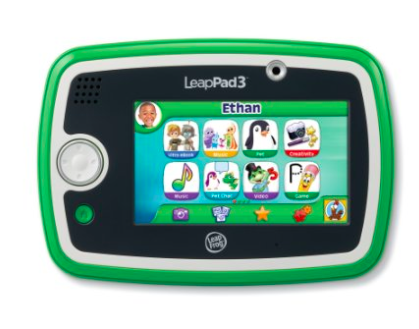
LeapPad3


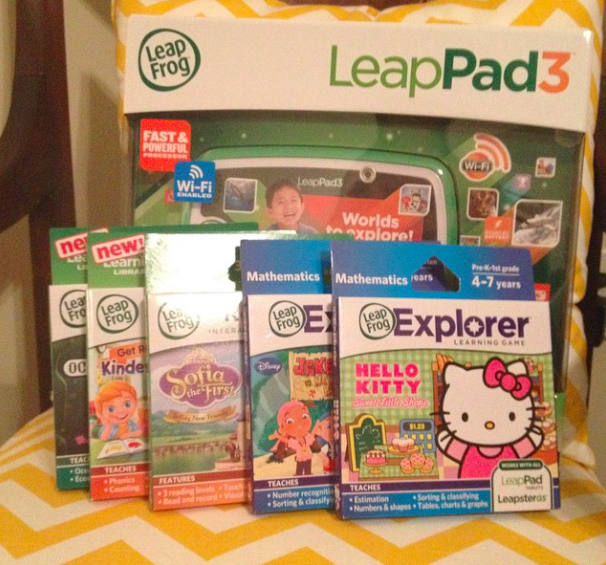
I’ve heard from several of my readers that would like to know more about the new LeapPad3.  LeapFrog has graciously sent a LeapFrog3 and some of their popular games for us to review and let you know our thoughts!

LeapPad3

I have to tell you my first thought upon taking it out of the box.  HOORAY for no batteries!  It has a rechargeable internal battery like adult tablets!  We have the original LeapPad and it goes through batteries like crazy, so having the internal battery is very important to me.

The new LeapPad3 is a Wi-Fi accessible tablet that provides access to kid-safe web experience and over 1,000 age appropriate, educator approved games.  Right off the bat, it includes 10 games plus you get your choice of another downloadable game!

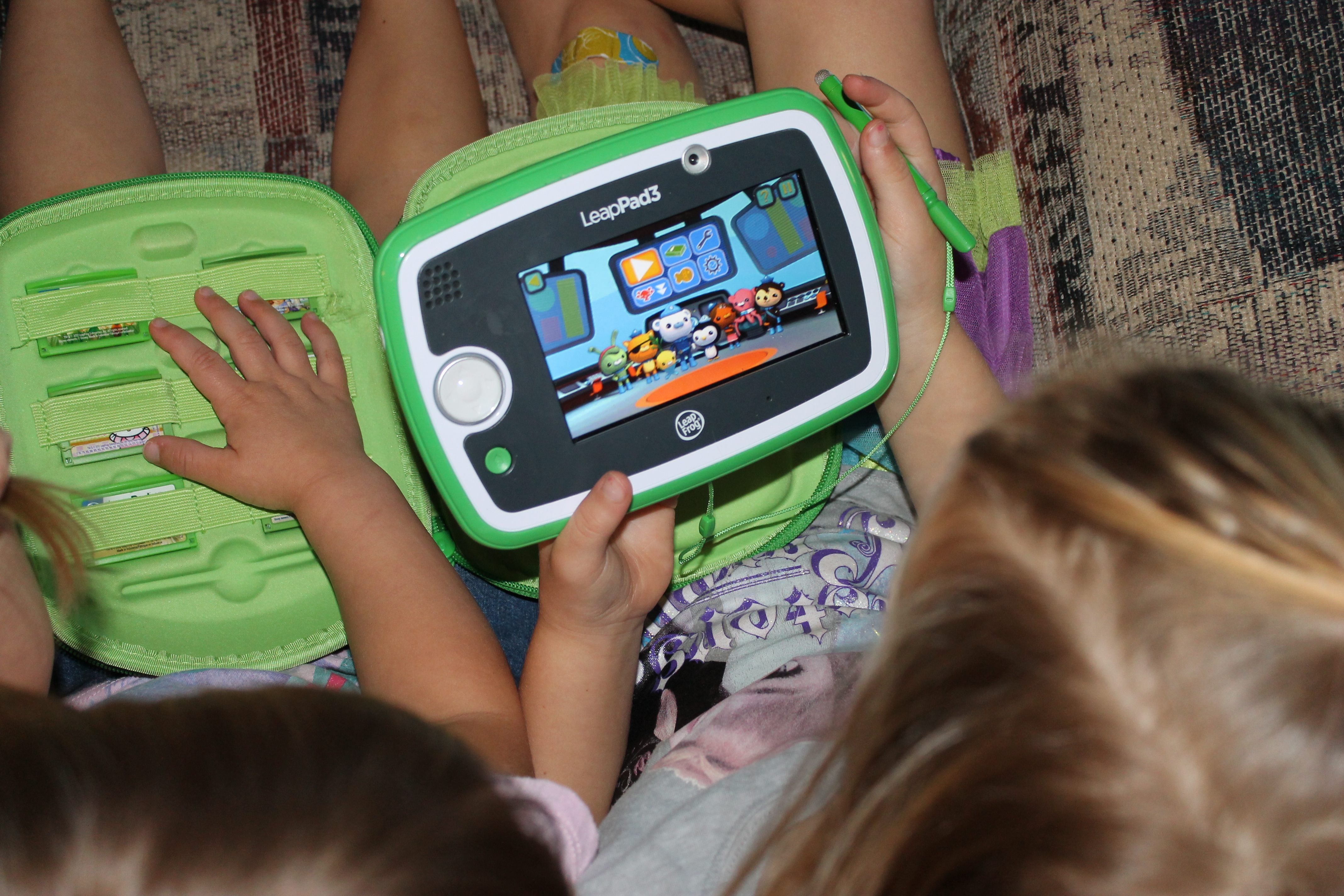
My favorite thing about all LeapFrog products is that it’s not just a gaming system.  When my kids play, they are learning!  We’ve been using our LeapPad3 to enhance my younger 2 daughters learning while I’m homeschooling the big kids.  I know that they are safe, engaged, and learning, and that makes me happy.  The girls do like to play some games on my iPad but not all are learning games, so I really try to limit those.  I’d much rather them be playing with the LeapPad3.

LeapPad3


A neat feature of the LeapPad3 is that it auto-adjusts the level that your child needs to be on to keep them challenged or to back off if they aren’t ready for a concept yet.  Their progress is remembered from game to game and book to book!

My daughters both agree that Octonauts is the best game to play on the LeapPad3.  It has some of their favorite characters and they enjoy the games.  If you have games from previous versions of the LeapPad, they will work on the LeapPad3, so no worries about that!

LeapPad3


We are definitely impressed with the LeapPad3 and I’m considering getting a 2nd one so both my girls can play.  LeapPad3 is equipped for peer-to-peer games over Wi-Fi, so you can play safely with friends across nearby Wi-Fi–enabled LeapFrog devices using the included Pet Chat and Pet Pad Party apps. Or, extend the fun on LeapFrog Kart Racing, Roly Poly World, Arturo’s Bug Adventures, Go Gopher Go and more (sold separately).  I would definitely recommend keeping this item in mind when you create your holiday wish lists.

Big thanks for LeapFrog for sending us the product to review.  For more information, you can check check out LeapFrog.com or find this product on Amazon.com.

LeapFrog LeapBand – Kids Fitness and Activity Tracker!

October 7, 2014 By MommyOctopus Leave a Comment
By clicking my links, I may earn a small commission to support this blog. Please see our Disclosure Policy.

LeapBand

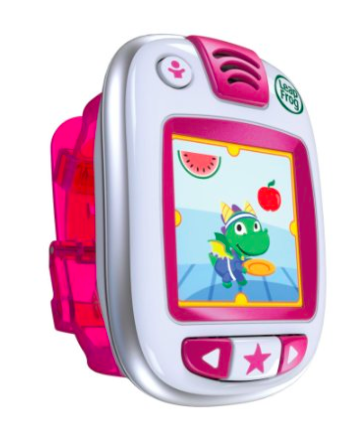
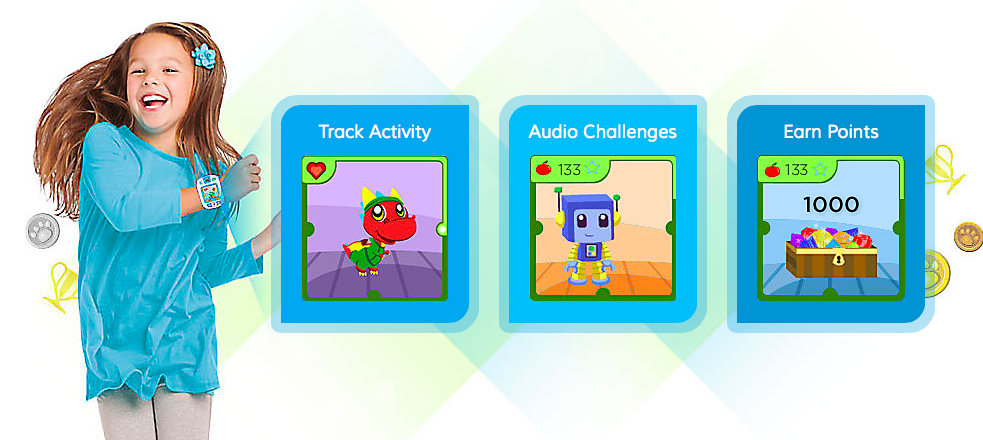
A few weeks ago, LeapFrog introduced it’s kid fitness and activity tracker!  It’s called the LeapBand!

Screen Shot 2014-10-07 at 3.08.17 PM


We were sent a LeapBand to check out for you guys and my 5 year old has volunteered to check it out.  She loves it and loves the challenges that it gives her.  Some of them are pretty silly and the other kids join in the fun as well.

LeapBand


The LeapFrog LeapBand was easy to set up and came already partially charged so we were able to play it immediately.  And yes, I said charged, so batteries are not needed.  To recharge, simply plugin to your computer with it’s included cord.

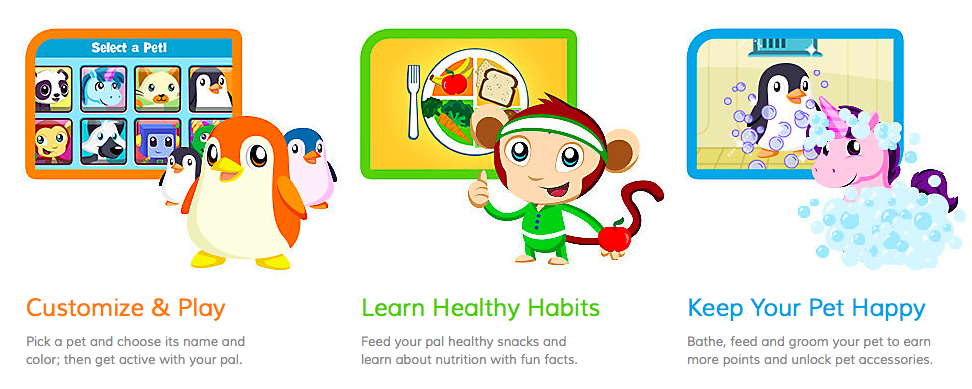
On your LeapBand, your child can choose a pet and then they do activities with their pet.  They can feed it healthy food, play with it, and do challenges.

LeapBand


Through different activities, your child earns points in order to level up and get more animals.

On the back end of things, you can plug the LeapBand into your computer and check your child’s progress.  You can even specify which times your child can play with the LeapBand so they aren’t getting into trouble at school or playing with it during bedtime.  There is also an area that you can select which challenges it will ask your child to perform. If your child is in any way limited or frustrated with a challenge, you can deselect the ones that your child would struggle with doing.  Your child also doesn’t need to be able to read since it will say all instructions out loud.

My kids really like the LeapBand and are enjoying playing with it and I made a little video to show you some of the features that make it so fun.

If you cannot see the video, CLICK HERE to see it.

So there you have it!  It’s a hit around here!  For more information, you can check it out on LeapFrog.com or on Amazon.com.

Review: ARTini’s Art Lounge

September 30, 2013 By MommyOctopus Leave a Comment
By clicking my links, I may earn a small commission to support this blog. Please see our Disclosure Policy.

Recently, my husband and I checked out ARTini’s Art Lounge.  I guess I should start this post by saying that neither one of us are artists.  I can barely draw stick people.  I was really nervous about the class, but it turned out great.

With ARTini’s, all your art supplies are provided, all you do is find a picture you want to paint and make your reservation.  We went to the Date Night Whimsy paint class.

Capture


How gorgeous is that?!  This class is perfect for a date night and consists of a series of 4 paintings that can be hang together on a wall.  My husband and I, being the crazy people we are, decided to go slightly different and fit it on 2 canvases and paint them to match our room.

Capture

Here we are about to get started.

Capture

We had a great time bonding over a painting, if that makes any sense.  For this particular painting we had to work together in order to make it match.

It was awesome watching the painting come together and the instructor guided us through every step of the way.  I definitely think this is going to be a frequent event on our date outing list.  Even better, you can purchase wine to make your painting even more interesting!  We cannot wait to go back and have some more art to hang on our walls!

Capture

Here’s the finished project.  We completely made it our own and to match our bedroom.  We are thrilled with our new funky piece of art that we made ourselves!

Capture

Thanks ARTini’s for allowing us to come paint with you!  We will be back!

Review: VTech Innotab

November 17, 2011 By MommyOctopus Leave a Comment
By clicking my links, I may earn a small commission to support this blog. Please see our Disclosure Policy.

VTech’s Innotab is supposed to be one of the HOT items of the year.  Already, they are starting to sell out online.   I was recently asked to review this product for you all.  I had my kiddos put it to the test and they all really like it.  My 8 year old is impressed with the calendar feature.  You can add your birthdays to the calendar and decorate it to remind your kids of important events.

The Innotab come pre-loaded with several apps  including an interactive, animated e-book, motion games, creative activities, music player, photo viewer, video player and more.  This tablet comes geared toward children age 4-9.  My 2 year old absolutely LOVED it though, but then again, it was pink 😉  You can also choose a blue tablet for the boys.  There are lots of games that you can purchase to add to the tablet and some that you can download as well.

The tablet comes with a stylus that slides in the tablet for storage.  This concerned me a little since children are likely to lose things.  I would have been a little happier if it was attached somehow.  The other thing I didn’t like is that it seemed big for little hands.

Other than those 2 things, it was pretty good.  My kids all loved it.

If you’re interested in finding out more, check the Vtech website or watch this short video on youtube.  The Tablet sells for $79 on Amazon.

Disclaimer: I received the VTech Innotab with hopes that I would try it out with my children and provide a review.  All opinions are my own.

LeapFrog LeapPad Explorer Learning Tablet and Tag System Review!

October 19, 2011 By MommyOctopus Leave a Comment
By clicking my links, I may earn a small commission to support this blog. Please see our Disclosure Policy.

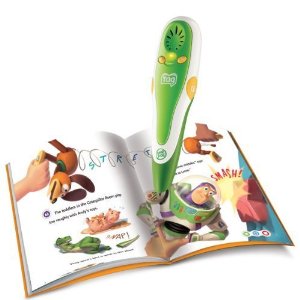
This morning I hosted a toy testing party with a few friends and their children.  We received a LeapFrog Tag Reading System, books, and map to try out along with the new Leapfrog LeapPad Explorer Learning Tablet.


LeapFrog Tag Reading System: 

First off, I was very impressed with this product.  I had seen the Tag Reading System before but had never played with it.  It was very easy for the kids to use and they all were really surprised that it could read the books to them and also the maps.  I was super excited about the map and think it will come in handy with our homeschool lessons.  It was a hit with all of the kids and the moms as well.  I love LeapFrog products since I know my kids are learning when they are using them.  I plan to use the LeapFrog Tag Reading System frequently with my almost  5 year old as he starts learning to read.

Checking out the Leapfrog Tag Reading System Map

"Reading" a book with Tag

LeapFrog LeapPad Explorer Learning Tablet 

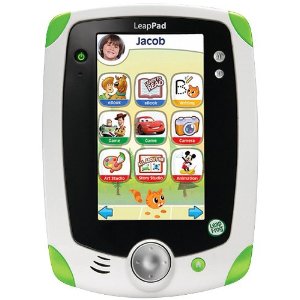
The LeapFrog LeapPad Explorer Learning Tablet was by far a HUGE hit with the kids.  Think of it as an iPad for kids!  The setup is great, having the games loaded on the tablet so that you can select which game/application to play.  It has a built in camera to take photos and record video.  The kids had a blast with that along with editing the photos and making silly pictures.  The LeapPad allows kids to take more than 30,000 photos or shoot 120 minutes of video!  Not only was the Learning Tablet extremely fun for the kids, with so many endless possibilities, it was also educational.  When you sign onto the LeapPad, you select your child’s grade and then it will adjust the games to be more on your child’s level.  The LeapPad is geared toward age 4-9, but I think out of all the kids at the party, my friend’s 3 year old had the most fun with it.  Every single one of the kids that left the party were asking for their own LeapPad Learning Tablet, so I’m pretty sure this is going to be one of the hot ticket items this Christmas.

Loving the LeapPad Learning Tablet

Taking Turns with the LeapPad Learning Tablet

What great products these were and we had such a blast trying them out.  I would definitely recommend both as you start trying to figure out what Christmas presents to get this upcoming holiday season.  I know I will be getting a few to give as gifts!

Disclaimer: I received these products in exchange for my unbiased review.
  • « Previous Page
  • 1
  • …
  • 3
  • 4
  • 5

Catch up with Mommy Octopus

Follow Me on Pinterest

Subscribe

Enter your email address:

Delivered by FeedBurner

Categories

Grab My Button


Privacy Policy | Disclosure

Copyright © 2026 · Modern Blogger Pro On Genesis Framework · WordPress · Log in

We are using cookies to give you the best experience on our website.

You can find out more about which cookies we are using or switch them off in .

Mommy Octopus
Powered by  GDPR Cookie Compliance
Privacy Overview

This website uses cookies so that we can provide you with the best user experience possible. Cookie information is stored in your browser and performs functions such as recognising you when you return to our website and helping our team to understand which sections of the website you find most interesting and useful.

Strictly Necessary Cookies

Strictly Necessary Cookie should be enabled at all times so that we can save your preferences for cookie settings.